10 Free & Practical Disability Supports
Written By: Abigail Stairs Young - September 2026
Many times when people think of starting a Disability Ministry in their church they think about all the reasons they can't do it. It might be hard, they don't know where to start, it might be expensive, where will the volunteers come from... the list goes on.
None of these are honestly excuses. Because, respectfully, what excuse is greater than the Great Commission Jesus gave us? They're all good concerns, but not an excuse. One I hear a lot is that it's too expensive and there's no budget for it. Budgeting is a whole other topic. But, it's too expensive? Not true.
Hear me out, I grew up and worked in a LARGE church in Canada. We had the money to do some pretty extravagant stuff for our programs. However, now I work with a lot of small churches. Many of which are just trying to keep their lights on money is so tight. So! Here are 10 FREE and practical supports you can implement today in your church!
(1) Educate the church congregation on inclusion and belonging in the church.
Inclusion starts with the congregation. You can have all the supports and equipment in the world, but if no one in your church has a heart for inclusion, people will leave feeling unwanted and/or excluded. It's important for the why of disability ministry to be explained. You can do this during elders / church leadership meetings, ministry training sessions, from the pulpit during a sermon, and by encouraging others along in this mission. There are fantastic other ministries and organisations that provide resources for training churches in disability / inclusion ministry. Some churches even have a "Disability Sunday" once a year to encourage, uplift, and honour the people with disabilities in their church. There's lot of ways to do this, but inclusion does start with the people.
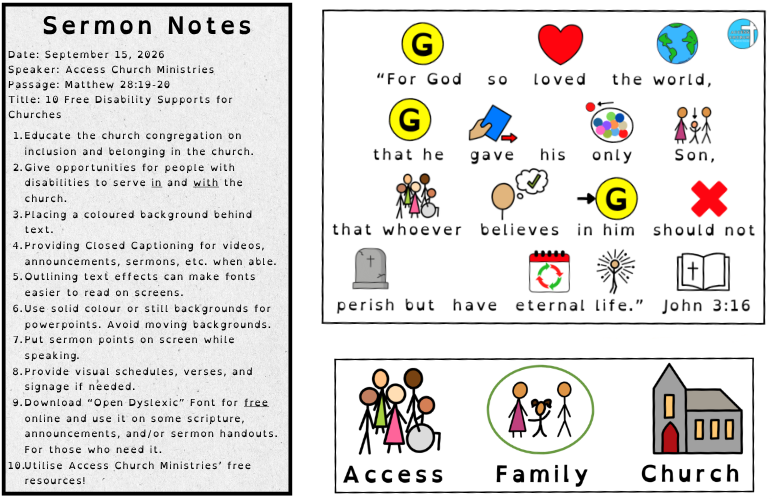
(2) Give opportunities for people with disabilities to serve in and with the church.
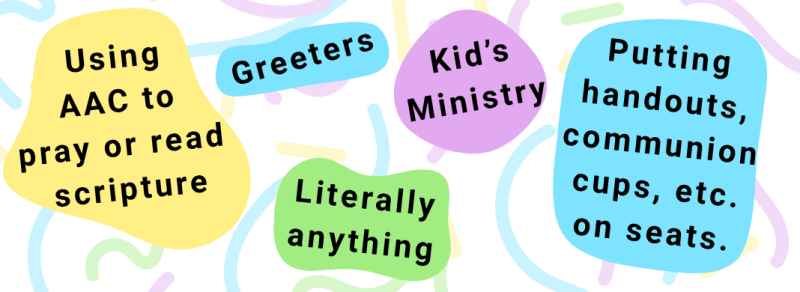
Too often, disability ministry training is about how to serve people with disabilities. Not how to create pathways for people with disabilities TO serve. There are so many ways to do this!
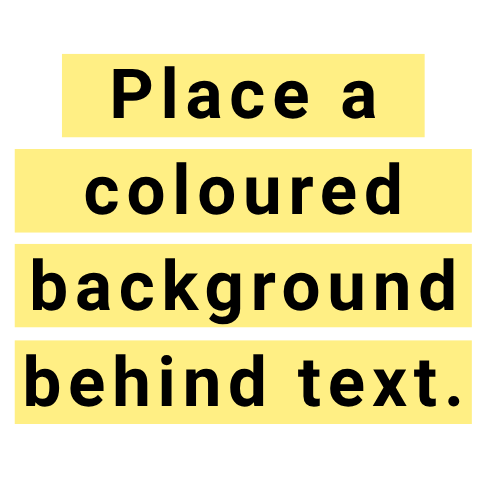
(3) Place a coloured background behind text.
This can improve readability because it increases contrast. Having a contrasting background for text helps eyes lock onto text/shapes quickly. It also helps with reducing eye strain. Black text on a bright white background can be harsh and straining on the eyes over longer periods of time. Tinting the background or creating a contrast can calm visual stress and strain.
(4) Provide Closed Captioning for videos, announcements, sermons, etc. when able.
This allows for both visual and auditory input. Which can be very helpful to some people! There are paid softwares that can do this for you. However, there are apps like "capcut" that have free options for closed captions. You can also use video editing to add your own captions, post announcements on a screen or handout when they're being spoken from the stage. ANDDDD if you're using a movie, show, or YouTube video, closed captioning / subtitles are often an option to turn on.
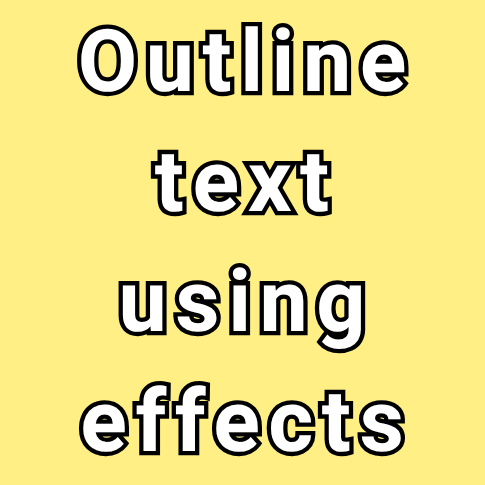
(5) Outline text using effects to make fonts easier to read on screens.
So honestly, this one is my biased favourite. I use distance glasses with a small prescription for nighttime driving. They're not needed for day-to-day use. But sometimes, power-points are hard for me to read because the font isn't super crisp with my eyesight. Having the outlines on the text actually helps me read the font from a distance easier. But I've also been told this by people we support in our church. We've been told it helps distinguish the font and make it easier to read when it's on a digital screen, over a background, or on a bright screen in a room with a lot of light.
(6) Use solid colour or still backgrounds for power-points. Avoid moving backgrounds.
Solid backgrounds can make it easier to read text because there is less stimulus and information to interpret. Moving backgrounds can also be overstimulating for some people when trying to read and/or engage in worship and programs.
(7) Put sermon points on the screen while speaking OR provide handouts.
Sometimes it's hard to follow along with a lesson or sermon when you aren't sure what are the takeaways, important parts, or what the structure is. Putting the sermon points on a screen or a handout allows people to have both visual and auditory input. It can also make sermons easier to follow, helps people take notes, and have something to refer back to. Having a handout can also serve as a "schedule" of sorts. Allowing people to know how far into the sermon/lesson the preacher is.
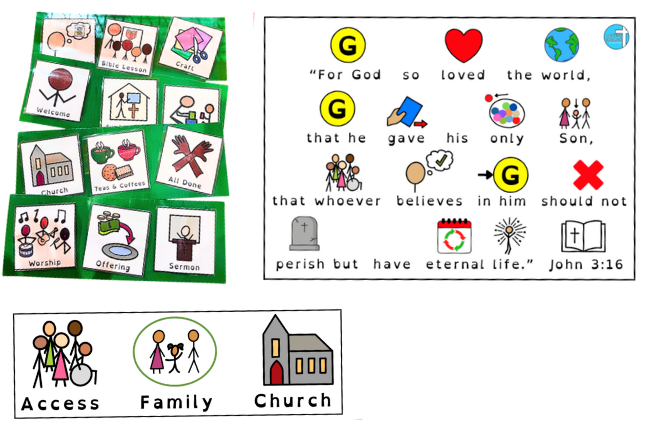
(8) Provide visual supports if needed.
Canva and Google images have TONS of free options. It doesn't have to be an official or paid provider to be a visual support. A simple picture of the church above the world "church" can help with reading comprehension, understanding, and independence. There are a lot of good softwares that do a lot of this for you. And if you have the funds to use them, go for it! But if you're like some churches I've worked with, every penny counts. Free clipart, personal pictures, and Canva options work just as well in a pinch. Access Church Ministries actually hand draws all of our symbols to use in our resources. This is to avoid licensing fees, publishing costs, and country-specific boundaries. We want our resources to be as accessible as possible for all of you.
(9) Download the "Open Dyslexic" Font and use it!
This font works for some people with dyslexia. Dyslexia presents differently in everyone. This font has a heavier base which allows it to be weighed onto to the page. Each letter is also distinct. This helps to weigh the font to the page to reduce mirroring, spiralling, floating, and swaying effects Dyslexia can have on texts. You do not have to switch all of your church communications and text into this font. But providing handouts, slides, or options in this font can make the difference between someone reading scripture for themselves and not being able to engage.
(10) Use our (Access Church Ministries') free resources!!
We are constantly editing our resources and adding more. Be sure to keep an eye out for new resources, curriculums, and trainings. If you don't want to miss a thing, sign up for our newsletter here.